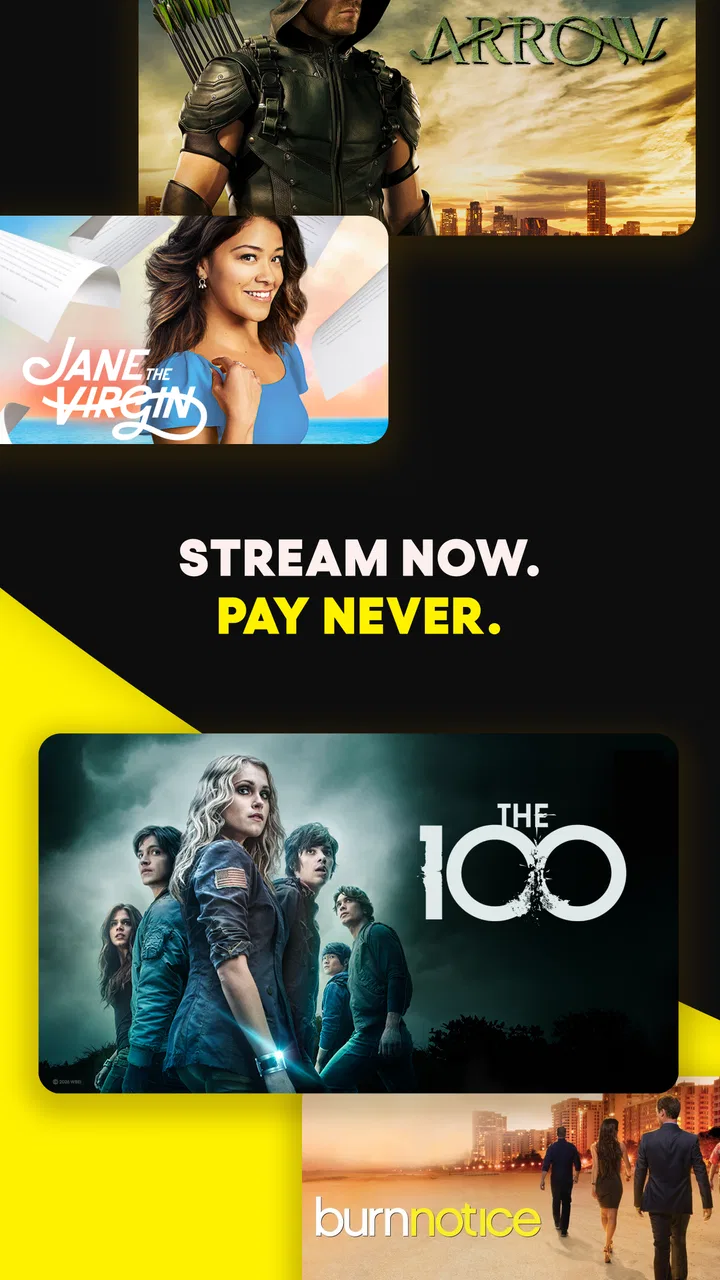
PlutoTV: Stream Free Movies/TV
- 3.7
- Rating
- 100.00M
- Installs
- Free
- Price

 Analysis by App-foxy
When I want something to watch without starting another paid subscription, PlutoTV is one of the first apps I open. I use it more like a digital television set than a traditional streaming library: I browse live channels, jump into a film that happens to be available, or leave news and sports running while I do something else. That distinction matters. The app is free, but it does not behave exactly like a paid service where I choose any title, pause my place indefinitely, and build a perfectly organized personal queue.
That makes it especially interesting in a shared home. One person can put on a live channel in the living room, another can watch on a phone, and nobody has to negotiate another monthly bill before trying it. At the same time, shared viewing also exposes the app’s limits. The available programming changes, the interface encourages browsing, and the experience is less predictable than a carefully managed on-demand catalog. My overall impression is positive, provided I treat it as a flexible free television replacement rather than a complete substitute for every streaming service.
How PlutoTV fits into everyday household viewing
PlutoTV is an entertainment app from Pluto, Inc., available free of charge for Android and iOS users. It has been around since Mar 31, 2014, and its broad reach is reflected in more than 100 million installs. The app carries a Teen content rating, so I would not hand a young child the device and assume every channel or program is suitable simply because no payment is involved.
You May Also Like

 AccuWeather: Weather Radar
AccuWeather Review: A Quick, Clear Forecast for Everyday Decisions
For everyday plans, the best forecast is the one you can understand quickly. AccuWeather makes rain timing, radar, and local conditions easy to act on, with a few trade-offs.

 Hill Climb Racing
Why Hill Climb Racing Still Turns Crashes Into One More Run
A tiny car, a bumpy hill and one more upgrade: Hill Climb Racing keeps resurfacing because its simple chaos makes every near-miss feel personal.

 AliExpress - Shopping App
AliExpress Makes Global Shopping Feel Personal, but Shoppers Bear the Risk
AliExpress turns a global marketplace into a pocket-sized discovery engine. Its reach is useful, its shopping loop compelling, and its trade-offs easy to miss.

 Lords Mobile: Kingdom Wars
Lords Mobile Is a Kingdom-Building Routine, Not a Quick Match
A case-by-case verdict on the building, battles, device demands, and social commitments that make Lords Mobile rewarding for some players and exhausting for others.

 PDF Scanner app - TapScanner
TapScanner Makes Paperwork Easier to Capture, Check, and Share
TapScanner makes scanning with a phone feel less like a rescue operation and more like a dependable step in getting work done. Its capture tools are useful, though not flawless.

 Block Blast!
Block Blast! Shows How Much a Puzzle Game Can Leave Out
A quiet grid game shows why puzzle players increasingly value instant clarity, repeatable skill and low-pressure play—and where the genre still needs to catch up.
More From Our News Desk
View All News


In my experience, the best shared-device scenario is the “what should we watch?” moment. If two people have ten minutes to agree on something, a live channel can remove the pressure of picking a specific movie. I can open the guide, scan what is playing, and settle on something that is already underway. This works well during breakfast, while cooking, or when friends are visiting and nobody wants to spend half the evening comparing menus.
The trade-off is control. On a service built around a conventional on-demand library, I normally decide the title, start time, and stopping point. PlutoTV asks me to accept more of the television rhythm: a program may already be in progress, a favorite film may not be available when I look for it, and the next item depends on the channel schedule. For casual viewing, that can feel refreshingly simple. For a planned family movie night, it can be frustrating.
I also find the live format useful when the household has different tastes. One person can browse news, another can look for sports, and someone else can explore film or television channels. The app’s value is not that it guarantees a perfect choice; it gives a household a large, low-commitment place to start. That is a meaningful advantage over relying only on one person’s paid subscription profile.
What the first setup tells you about boundaries
Getting started is straightforward on a compatible device. The minimum operating system is Android 5.0, which makes the app accessible on many older Android phones and tablets. I still recommend testing it on the actual shared device before planning a group viewing session. An older phone may technically run the app but feel less comfortable for browsing, especially when several people are passing it around and trying to make a quick decision.
The app is free, but “free” should be understood as a viewing model rather than a promise of unlimited control. I expect advertising and a television-style flow, so I do not use PlutoTV when I need a completely uninterrupted presentation. It is better suited to relaxed household use, where a commercial break is acceptable and the main goal is finding something watchable without adding a new expense.
One practical boundary is device ownership. If the app is installed on a family tablet, everyone who opens it may influence what appears next simply by browsing. I would keep the tablet’s general use in mind rather than treating it as a private profile for one person. If a teenager uses the same device as an adult, a quick conversation about suitable channels is more realistic than assuming the app will make every decision for the household.
Another boundary concerns expectations around accounts and viewing continuity. I would not build a complicated shared routine around the assumption that every household member will have a perfectly separate experience. A shared television app is easiest when the family agrees that it is a common viewing space. For truly individual recommendations, private watch habits, or carefully separated viewing histories, a service designed around distinct profiles may be a better fit.
That does not make PlutoTV poor for families. It simply changes how I would introduce it. I would explain that it is a free collection of live and available programming, then show each person how to browse instead of promising that a particular title will always be ready. This small adjustment prevents the most common disappointment: opening the app with a specific movie in mind and discovering that the evening’s schedule does not cooperate.
Coordinating the remote and the shared screen
PlutoTV works best when one person takes temporary responsibility for navigation. On a shared television or tablet, passing control every few seconds can turn a simple choice into an argument. I prefer to let one person scan the guide while everyone else gives a short preference, such as news, sports, comedy, or a film. Because the app is built around browsing, this method keeps the household moving instead of creating an endless scroll through possibilities.
A useful habit is to decide whether the group wants live viewing or a specific piece of entertainment before opening the app. If the answer is “anything for twenty minutes,” PlutoTV is a strong match. If the answer is “we must watch this exact film from the beginning,” I would check a more predictable on-demand alternative first. That one question saves time and makes the free service feel much more reliable.
I also like it for background viewing, but I would not confuse background use with focused viewing. Live news or a sports channel can keep a room informed or entertained while people move around. For a serious film, however, the changing schedule and advertising rhythm may make a paid, on-demand platform more comfortable. The right choice depends less on picture quality expectations and more on how much control the household wants over the evening.
When several people share one device, coordination also means respecting the person who is already watching. I would avoid treating the app as an endless communal channel changer. If someone is following a live event, opening the guide to search through unrelated options can interrupt the experience. A separate phone or tablet is useful for browsing when available, while the main screen remains on the agreed program.
This is one of the less obvious strengths of a live television application: it can reduce decision fatigue when the household accepts the schedule. Instead of asking everyone to nominate a title, the group can choose a channel and let the programming provide the structure. The weakness is equally clear: when the schedule does not match the mood, the same structure becomes a limitation.
Teen rating, trust, and sensible supervision
The Teen content rating is important in a shared home. It tells me to treat PlutoTV as an app for older children, teenagers, and adults with ordinary supervision, not as an automatically child-safe destination. I would look at what is playing before handing over the device, especially if younger children are nearby or if the app is being used late at night when an adult may not be paying attention.
I do not see this as a reason to reject the app. It is a reason to place it in the right part of the household routine. A teenager can use it independently if the family is comfortable with the content and understands that live channels may not match a parent’s preferred level of filtering. For younger children, I would choose the program myself and keep the viewing device within sight.
Trust also matters because a free entertainment app can look deceptively simple. A child may understand that no purchase is required and still not understand why some programs are unsuitable. I would explain the difference between “free to watch” and “appropriate for everyone,” then agree on which room and device are acceptable. This kind of conversation is more useful than presenting the app as either completely safe or completely unsuitable.
For households with teenagers and adults sharing a tablet, I would also set social boundaries around volume, interruptions, and channel changes. These are not app controls; they are practical rules that make a shared service work. PlutoTV provides the common viewing space, but the household still has to decide who chooses, when viewing is allowed, and how the device is shared.
The app’s Teen rating also affects my recommendation for grandparents or less technical relatives. The interface may be easy enough to explore, but I would demonstrate the live guide and explain that not every choice is a personal recommendation. A quick introduction helps someone avoid assuming that the first visible channel is the only option or that a program will remain available forever.
How it compares with familiar streaming alternatives
Compared with a paid on-demand service, PlutoTV wins on commitment. I can install it, browse, and watch without adding another subscription to the household budget. That is particularly valuable for occasional viewers, students, temporary guests, or families trying to reduce monthly entertainment costs. The price is easy to understand: it is free, while the compromise is advertising and less control over timing.
Compared with ordinary broadcast television, it feels more flexible because I can access it through a phone or tablet and browse a wider digital channel environment. It is convenient when I am away from the main television or when the household wants entertainment on a smaller screen. Still, it retains the central broadcast idea of scheduled programming, so viewers who dislike waiting for a show may prefer a fully on-demand catalog.
Compared with free video platforms built mainly around individual uploads, PlutoTV feels more curated and channel-oriented. I do not open it primarily to search for a particular creator or short clip. I open it when I want a television-like stream, live news, sports, or a film that can fill the room. Someone who prefers highly personalized short videos may find the app less immediate, while someone who misses channel surfing may appreciate its structure.
Its average rating is 3.7 from around 787 thousand ratings, alongside roughly 118 thousand written reviews. I read that as a sign of a widely used service with a mixed everyday experience rather than a universal recommendation. The scale is impressive, but popularity does not remove the practical compromises: schedules change, ads interrupt, and shared-device use requires household coordination.
I would choose a different option when the viewing plan depends on a precise catalog, reliable playback from a saved position, or strict separation between family members. I would also look elsewhere if uninterrupted premium viewing is the priority. PlutoTV is strongest when flexibility matters more than ownership of the exact viewing schedule.
Small habits that make the free model work better
My first tip is to browse with a time limit. I give myself a few minutes to scan the guide, then choose the best available option instead of trying to find a perfect one. This prevents the familiar problem of spending longer searching than watching. It is especially useful when two or more people are sharing the decision.
My second tip is to use the app according to the room’s activity. For cooking, cleaning, or casual conversation, live channels are a natural fit because nobody needs to protect every minute of the program. For a focused movie night, I compare the available choice with an on-demand service before settling in. This simple distinction makes PlutoTV feel like a deliberate tool instead of a disappointing substitute.
My third tip is to establish a shared-device rule before the app becomes part of the household routine. I would decide who can change channels during live sports, whether teenagers may browse alone, and where the tablet can be used. These rules sound obvious, but they address the real friction points better than expecting the app itself to manage family behavior.
A fourth useful approach is to treat the service as a discovery layer. I sometimes open it without a title in mind and allow the channel format to suggest something outside my normal habits. That is different from searching a familiar catalog, and it can be the reason to use PlutoTV even when a household already pays for another service. The app adds serendipity rather than simply duplicating a subscription library.
Finally, I keep the app’s age context visible in my own decision-making. If children are present, I check the channel before leaving it running. If a teenager is watching alone, I rely on an agreed level of trust rather than assuming the Teen rating answers every family’s standards. This makes the service easier to recommend responsibly.
My household verdict
After using PlutoTV as a free entertainment option, I would recommend it to households that enjoy live channels, casual films, news, and sports without wanting another monthly commitment. It is particularly good for a shared living-room screen, a spare tablet, or those moments when everyone wants something on but nobody has a specific title worth paying extra to access.
I would not recommend it as the only service for a family that expects strict child filtering, separate personal spaces, or guaranteed access to a chosen movie at a chosen time. The Teen rating deserves attention, and the live, advertising-supported format requires patience. Those are not minor details; they define whether the app feels convenient or restrictive.
For me, the strongest case is its ability to turn an idle device into a common television-style option with no purchase barrier. The weakest case is planned viewing that depends on precision. If your household can agree to share the guide, accept the schedule, and supervise younger viewers appropriately, PlutoTV is an easy app to keep available. If you want complete control, private profiles, and a polished on-demand routine, a different streaming service will probably serve you better.
In short, I see it as a practical companion rather than a universal replacement. Its free access, large reach, and mix of live entertainment make it useful in real homes, but its value depends on matching the app to the occasion. Use it for relaxed shared viewing and spontaneous discovery, and it earns its place. Expect it to behave like a premium personal library, and the compromises become impossible to ignore.
FAQs for PlutoTV: Stream Free Movies/TV
01What content is available on Pluto TV?
Pluto TV offers a wide variety of content, including free movies, TV shows, news, sports, and more. It features both on-demand content and live TV channels, ensuring a diverse selection for users. With genres ranging from comedy to documentaries, there is something for everyone to enjoy without any subscription fees.
02Is Pluto TV really free to use?
Yes, Pluto TV is completely free to use. The app is ad-supported, meaning you will encounter commercials during your viewing experience, similar to traditional TV. These ads help keep the service free, allowing users access to a broad range of content without any monthly subscription costs.
03Can I watch Pluto TV offline?
Currently, Pluto TV does not offer an offline viewing option. All content is streamed directly over the internet, requiring a stable connection to access the live TV channels and on-demand library. This means you need to be connected to Wi-Fi or mobile data to watch content on Pluto TV.
04On which devices can I use Pluto TV?
Pluto TV is available on a wide range of devices, including Android and iOS smartphones and tablets, Smart TVs, streaming devices like Roku, Amazon Fire TV, and Apple TV, as well as gaming consoles like PlayStation and Xbox. This flexibility allows you to enjoy Pluto TV content on any preferred platform.
05How does the on-demand feature work on Pluto TV?
Pluto TV’s on-demand feature allows users to choose and watch movies and TV shows at their convenience. By browsing through the on-demand library, users can select from a wide array of genres and titles. This feature complements the live TV channels, offering flexibility and control over your viewing choices.
Pros
- No subscription required for access.
- Wide variety of channels and genres.
- User-friendly interface and navigation.
- Supports multiple devices and platforms.
- Regular updates with new content.
Cons
- Frequent ads can be disruptive.
- Limited on-demand content options.
- No offline viewing capability.
- Regional content restrictions apply.
- Occasional streaming quality issues.

PlutoTV: Stream Free Movies/TV
Gallery